Phase 0 · Research
impeccable teachLearn the real business
The teach sub-command sets up the project's context. It noticed there was no usable brief, researched the real pizzeria from our shared research files, asked us a few clarifying questions, and wrote a single strategy document that anchored every later decision.
Inputs
- findings.yaml (Google, Instagram, Facebook, current site)
- menu.yaml (the full 2025 menu)
- our intent for the project
Process
- AutoDetected no usable brief and entered the teach flow
- AutoResearched the business: hours, the mural, Bigfoot lore, reviews, the menu
- YouAnswered clarifying questions: who the site is for, the tone, and what to avoid
- AutoInferred the register is "brand", drafted personas, personality, anti-references, and accessibility targets
Outputs
- PRODUCT.md (the strategy doc)
- register: brand
- five design principles
PRODUCT.md the full strategy document
Loading the file…
It opens with the brand in three words, psychedelic, rooted, generous, and a list of cliches to avoid (the forest-green organic look, AI-slop card grids). Expand it to read the whole thing.
Phase 1 · Voice
playbook · copywritingWrite the words first
Before any layout, the agent wrote a copy brief: the tone of voice and the exact words for every section, drawn only from verified facts. This is also where house rules were set, like no em dashes and dietary info always stated in text.
Inputs
- PRODUCT.md (voice + personality)
- findings.yaml, menu.yaml
Process
- AutoDerived voice rules and per-section copy from verified facts only
- AutoSet house style: no em dashes, sentence case, kickers used sparingly
- AutoFed straight into the layout mock, no separate gate
Outputs
- COPY-BRIEF.md
- section-by-section copy
COPY-BRIEF.md voice + every section's copy
Loading the file…
Phase 1 · Identity
generate-image.sh → GeminiGenerate the brand toolkit
The first generated image is a brand style tile, deliberately not a webpage. It commits the entire visual world at once. The agent wrote the prompt from the strategy doc, generated the image, checked it against a rubric, then stopped for our approval.
Inputs
- PRODUCT.md (palette intent, motifs, anti-references)
- a written image prompt
- aspect ratio 3:2
Process
- AutoWrote a detailed prompt: a designer's specimen board, not a site
- AutoCalled Gemini, received the image
- AutoChecked a rubric: palette fidelity, exact spelling, composition, no browser chrome
- YouGate 1: approved the toolkit before any layout began
Outputs
- toolkit.png
- the locked palette, type, wordmark, motif
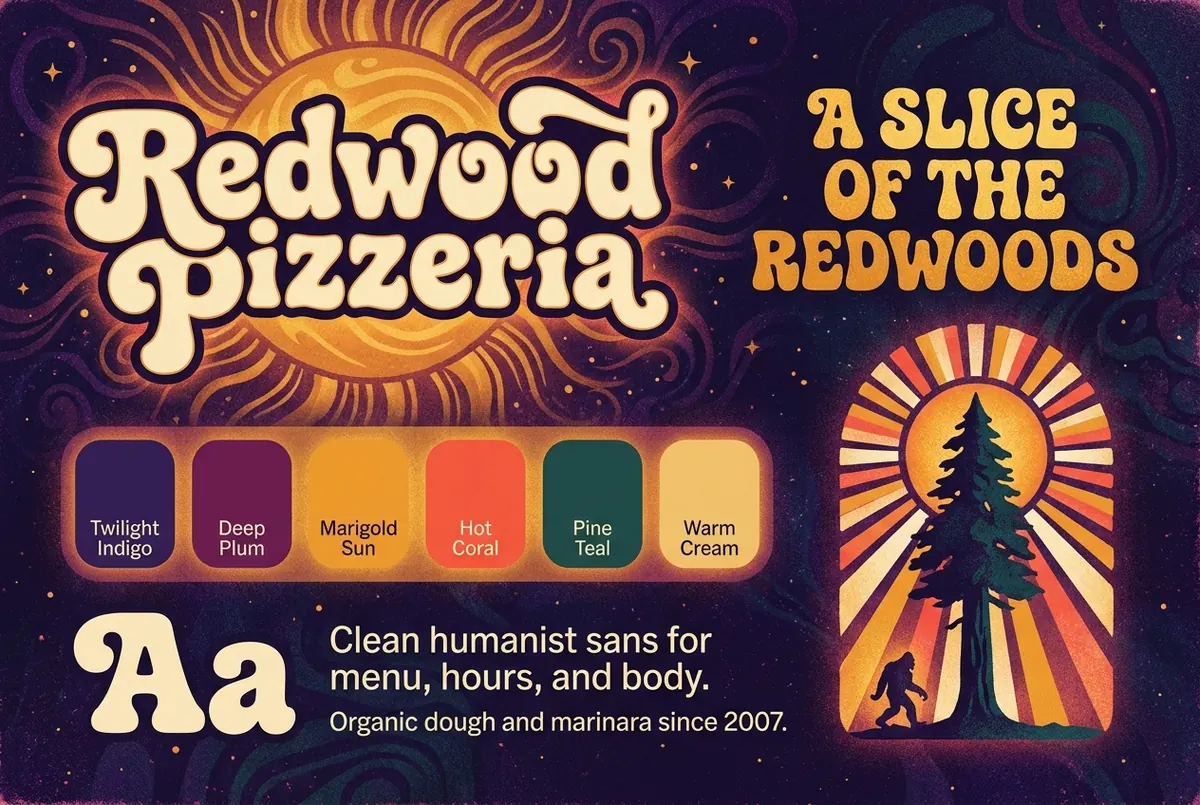
The exact prompt sent to Gemini
A brand style tile (designer's specimen board, NOT a website) for an organic pizzeria called 'Redwood Pizzeria'. Aesthetic: psychedelic 1970s gig-poster energy reimagined as a refined modern brand system. Landscape. Grainy silkscreen / risograph print texture throughout. Deep cosmic twilight background. Four zones: 1. TOP LEFT large display wordmark 'Redwood Pizzeria' in fat high-contrast retro display in warm cream with radiating cosmic sun; 2. TOP RIGHT tagline 'A SLICE OF THE REDWOODS' in same face, marigold gold; 3. CENTER BAND six color swatches: 'Twilight Indigo', 'Deep Plum', 'Marigold Sun', 'Hot Coral', 'Pine Teal', 'Warm Cream'; 4. BOTTOM LEFT type specimen 'Aa' + body lines; 5. BOTTOM RIGHT motif: redwood tree silhouette + radiating cosmic sun + tiny Bigfoot. No browser chrome, no nav, not a webpage. Spell all text exactly as written.
Phase 1 · Design system
impeccable shapeTurn the look into tokens
The shape sub-command turns the visual world into an engineering contract: named colors in OKLCH (a color space where contrast is predictable), a type pairing, spacing, and depth created by lightness instead of drop shadows. The code is built strictly from these tokens.
Inputs
- PRODUCT.md
- the approved toolkit
Process
- AutoPlanned the page structure and components
- AutoDefined tokens: OKLCH colors, type scale, spacing, focus ring
- AutoPre-verified contrast pairings against WCAG AA
- YouConfirmed the direction before building
Outputs
- DESIGN.md (the token contract)
- six named colors + type
Redwood Pizzeria
Hand stretched organic dough, local toppings, cold mountain draft beer.
DESIGN.md the full token contract
Loading the file…
Phase 2 · Layout
generate-image.sh (generate + img2img)Mock the whole page, then iterate
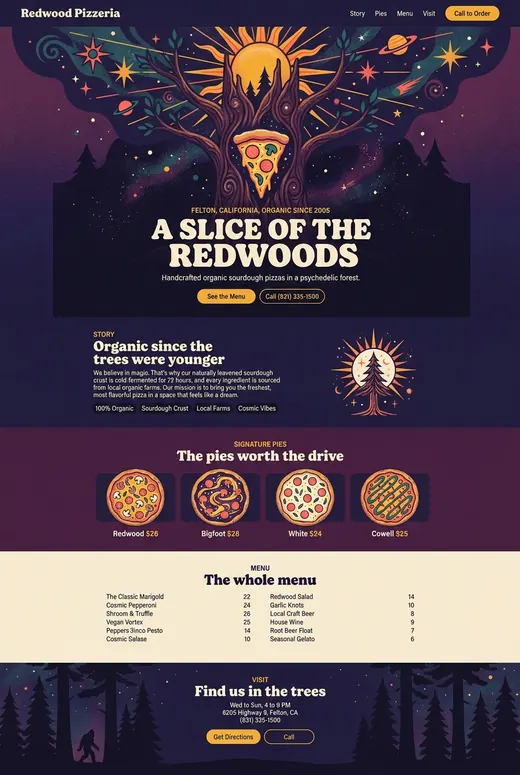
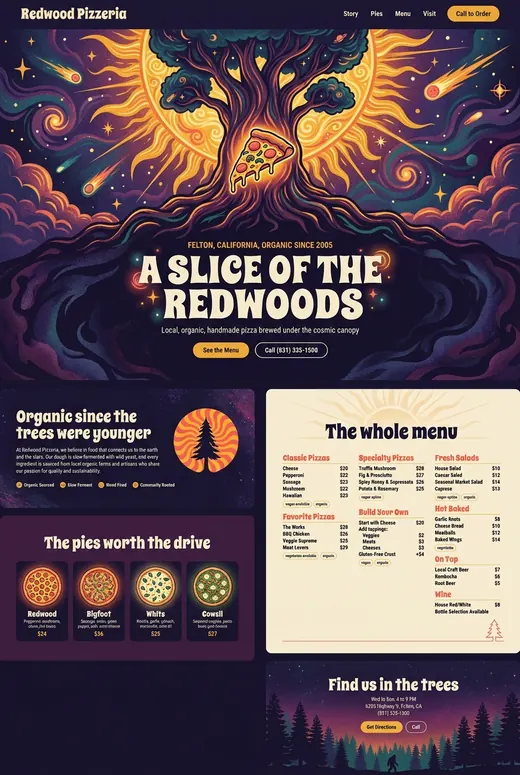
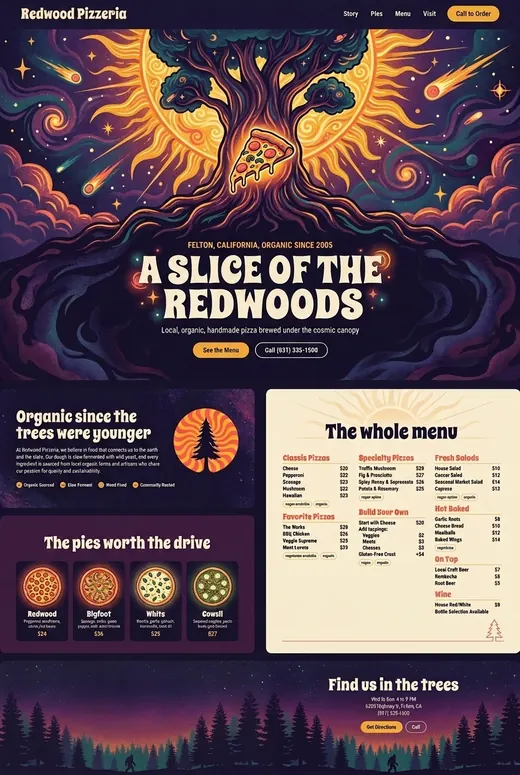
One generated full-page mock set the composition for all six sections at once. It took several rounds of feedback. This is a clear example of the human-in-the-loop: the agent generated, you reacted, it revised. The playbook also has each section's lane decided here, so the mock reflects them.
Inputs
- COPY-BRIEF.md, the toolkit
- a six-section prompt, aspect 2:3
- prior mock (for image-to-image edits)
Process
- AutoGenerated v1, one continuous full-page mock
- YouGate 2: flagged the menu as too sparse
- AutoTried an image edit to grow the menu; it cost other sections, so it was discarded
- AutoRegenerated v3 with a rich categorized menu
- YouApproved v3, asked for a full-width footer
- AutoImage-edited only the footer, producing v4
Outputs
- page-mock-v4.png
- the reference the build traced
Phase 4 · Illustration
generate-image.sh + add-rulers.pyLane 1Illustrate, then measure
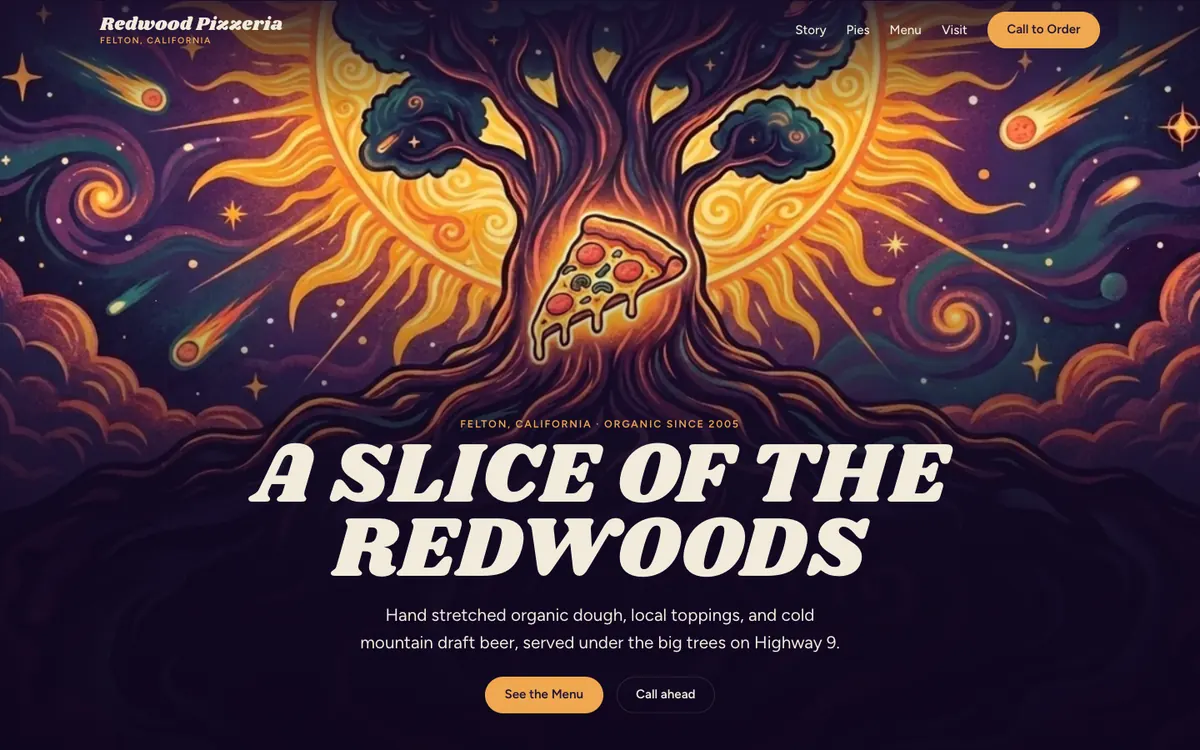
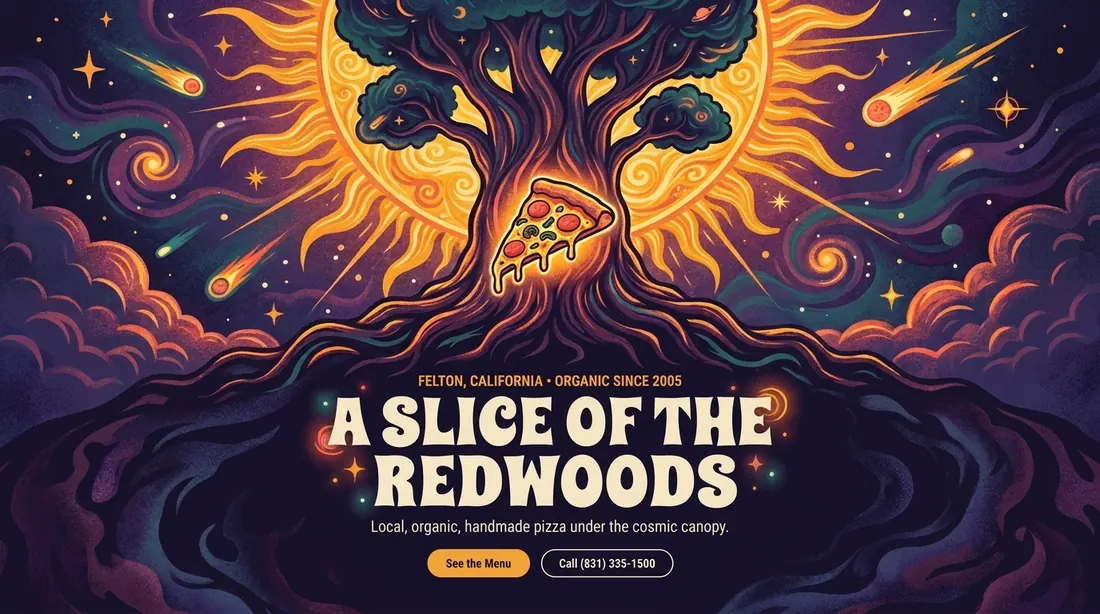
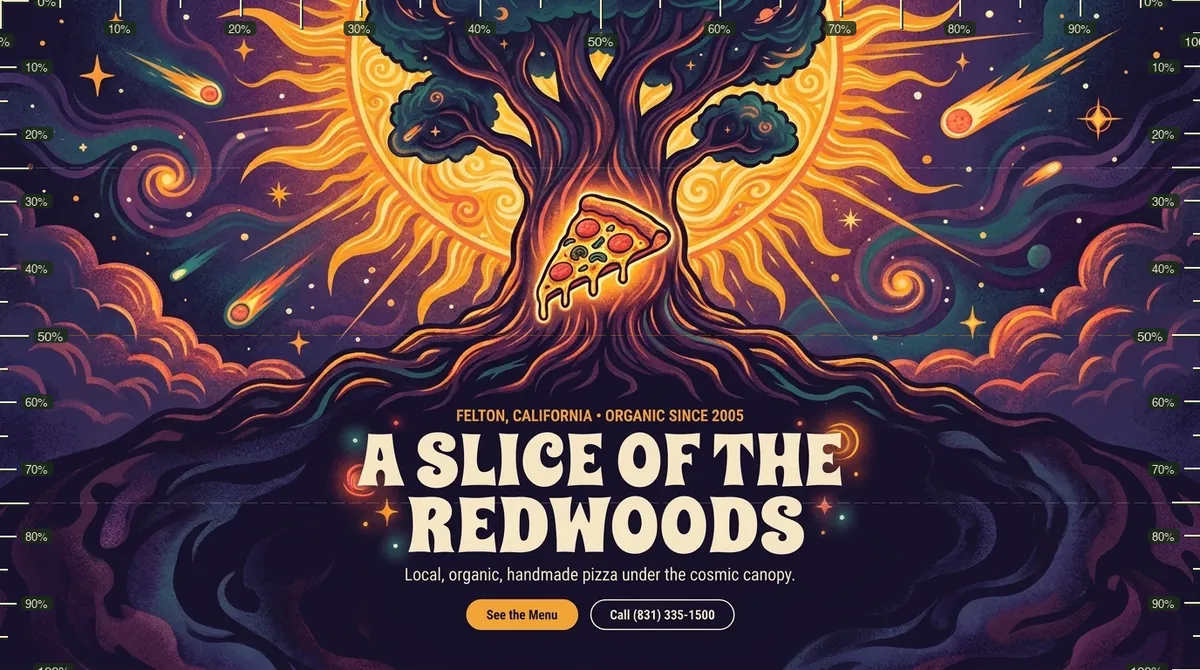
The hero was generated as a focused illustration, then literally measured. The add-rulers.py tool overlays a pixel ruler so the hand-written CSS can place the headline, the text-safe zone, and the sun in exactly the right spots. The four pizzas were generated from one shared style probe so they read as a set. In the playbook's terms the hero is the run's single Lane 1 section, the one lane where the probe is a precise build target, which is exactly why it gets ruled.
Inputs
- the hero band cropped from v4
- a 16:9 illustration prompt
- one approved pie as the style reference
Process
- AutoImage-edited the hero crop into a clean 16:9 illustration with a dark, text-safe zone
- YouApproved the hero direction at its probe gate
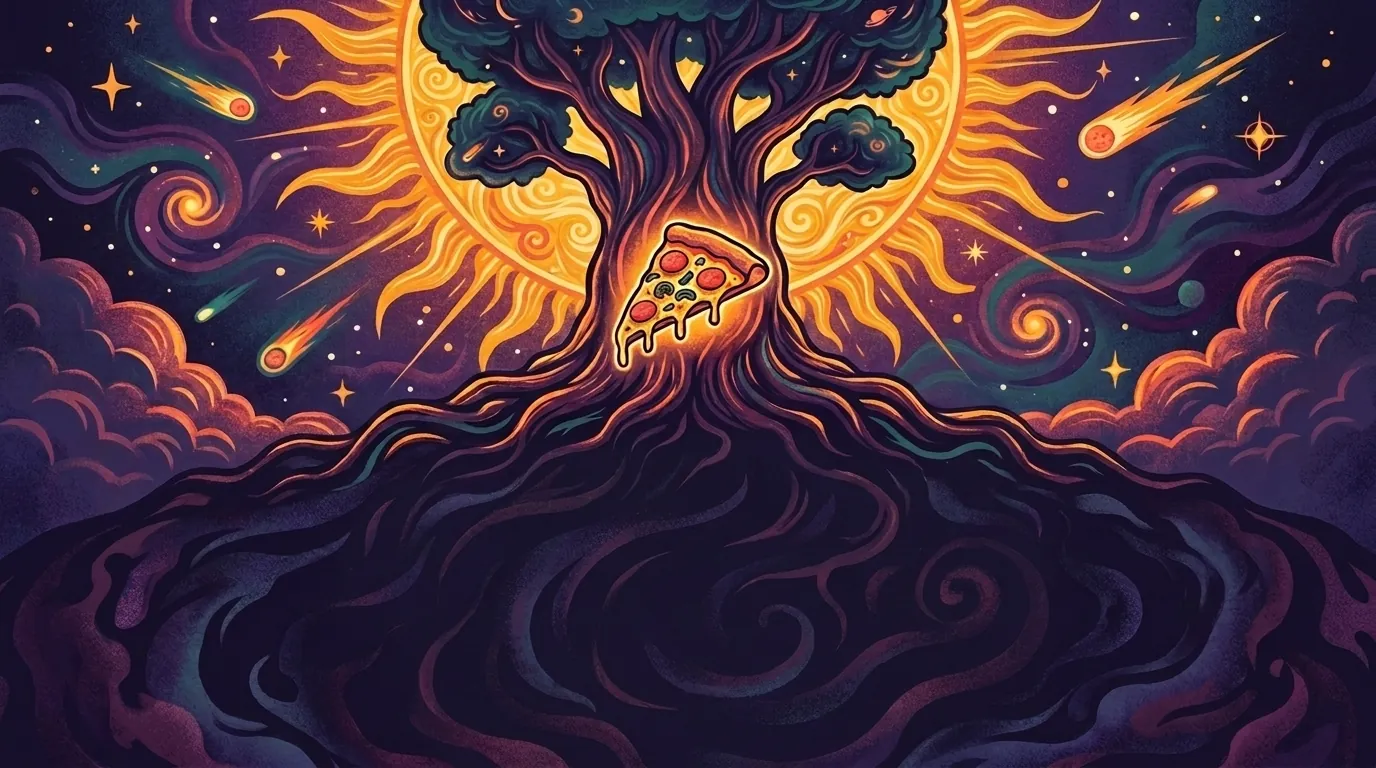
- AutoRan an "untext" edit: removed the headline, kicker, and buttons and completed the illustration into a clean background plate
- AutoRan add-rulers.py to overlay a pixel grid, the build-and-measure target
- AutoGenerated one pie as a style probe
- YouApproved the pie style
- AutoGenerated the other three pies to match
Outputs
- probe-hero.png (with text)
- hero-bg.png (untext'd plate)
- probe-hero-ruler.png (measured)
- four pizza illustrations
A Lane 1 hero is generated with the headline and buttons baked into the image, which is perfect for measuring but wrong for the web, where text must stay live, selectable, and translatable HTML. So the playbook runs an untext pass: a second image-to-image edit that removes the overlaid headline, kicker, and buttons and paints in the illustration underneath, leaving a clean opaque background plate. The real text is then layered over it in CSS, so it stays sharp and accessible.
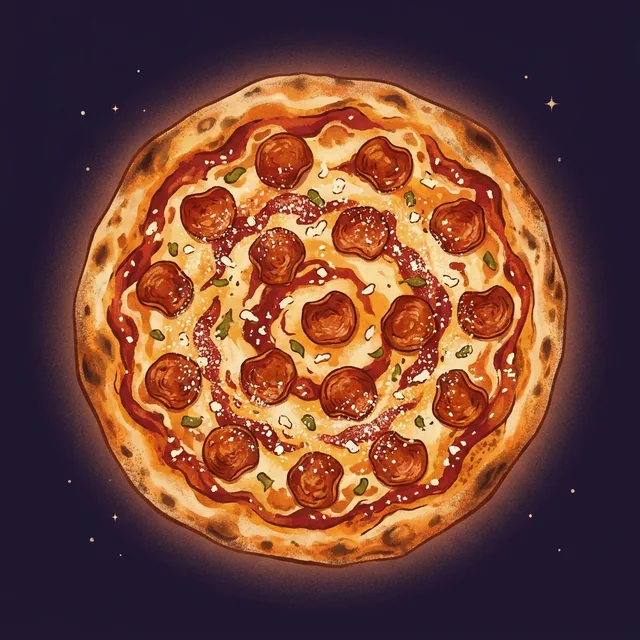 Redwoodstyle probe
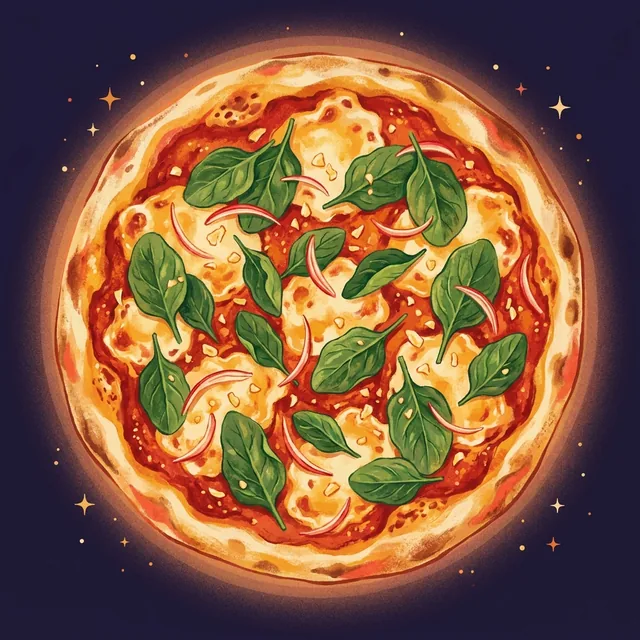 Bigfootmatched
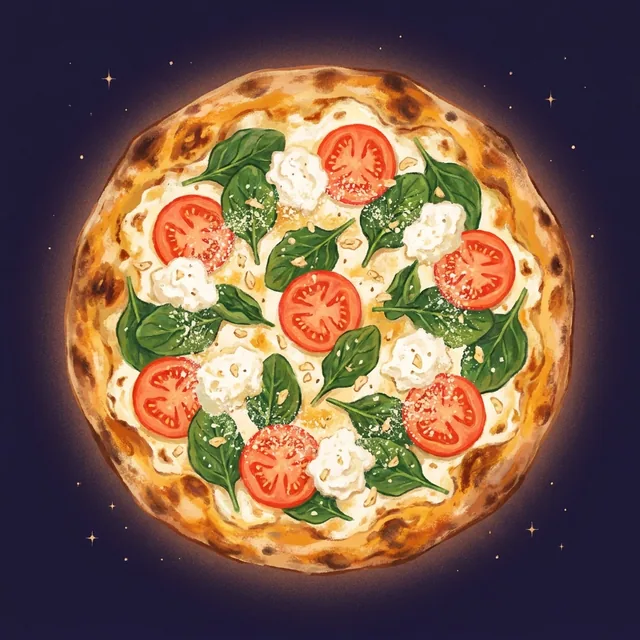 Whitematched
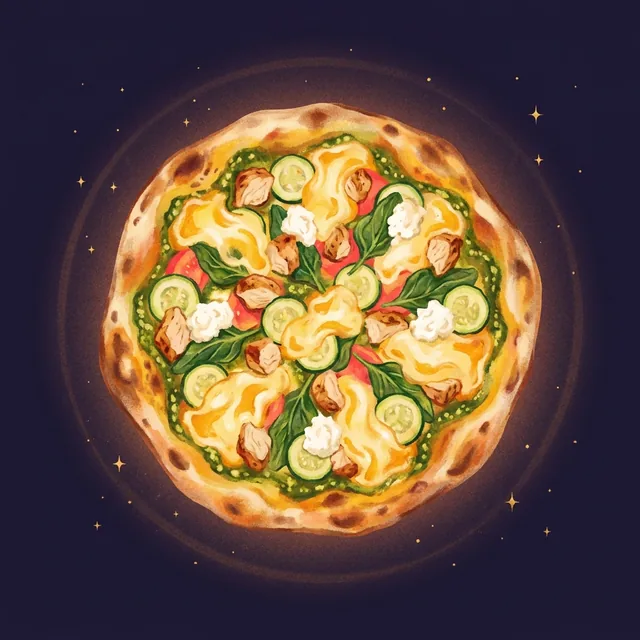 Cowellmatched
The hero illustration prompt
Scene: giant center redwood with glowing marigold/coral root-veins, radiant cosmic sun behind the crown, pizza slice at the heart, comets on a twilight-indigo/plum sky, riso/silkscreen grain. Palette locked to the six toolkit colors. Bright sun upper, dark plum text-zone lower-center. Headline 'A SLICE OF THE REDWOODS' (2 lines, fat display serif, cream, ~80% width); kicker 'FELTON, CALIFORNIA · ORGANIC SINCE 2005' (marigold); CTAs 'See the Menu' (marigold pill) + 'Call (831) 335-1500' (outline). Preserve composition; no chrome, nav, or letterbox.
The "untext" edit prompt
Remove all text overlays and UI from this design mockup: the navigation, the headline 'A SLICE OF THE REDWOODS', the subtext, and the buttons. Reveal and complete the cosmic-grove illustration underneath (the redwood, the radiant sun behind the crown, the pizza slice at the heart, comets on a twilight sky). The result is a pure background illustration: no text, no UI, no buttons. The full-frame illustration is intrinsic; do not crop or strip it. Keep the bright sun in the upper region and keep the central text zone dark for contrast.
Phase 3 + 4 · Build
hand-coded HTML/CSS + PlaywrightBuild it for real, verify each section
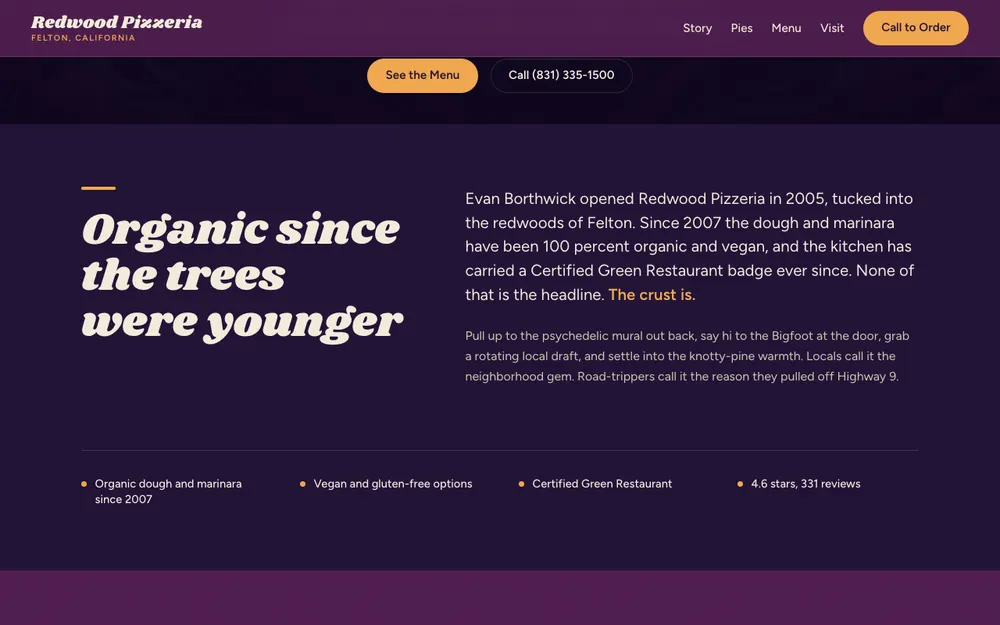
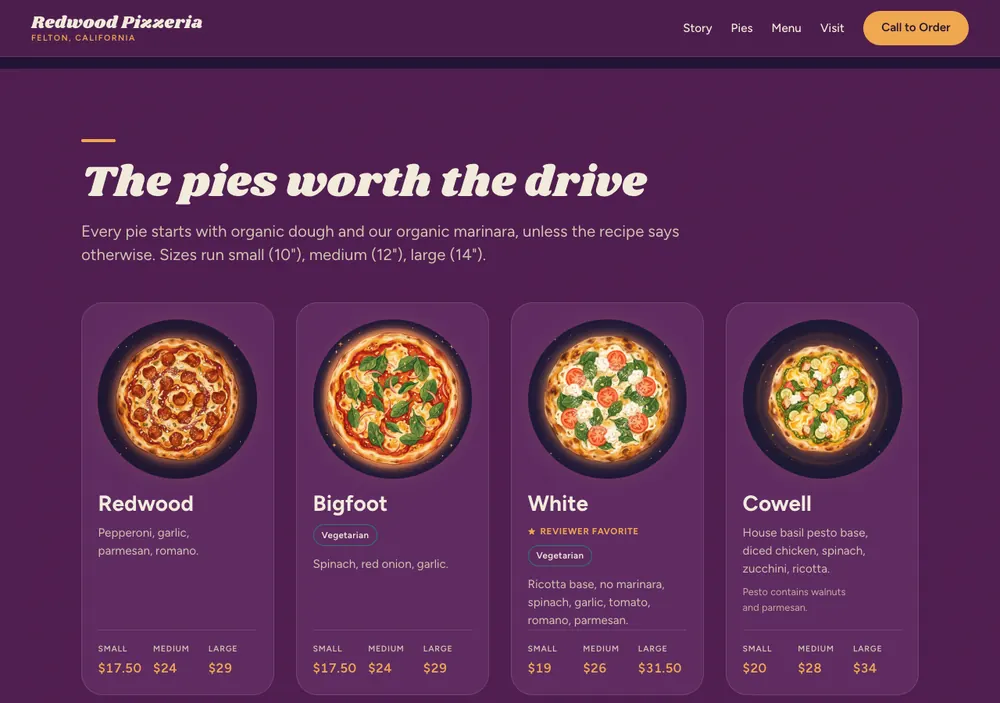
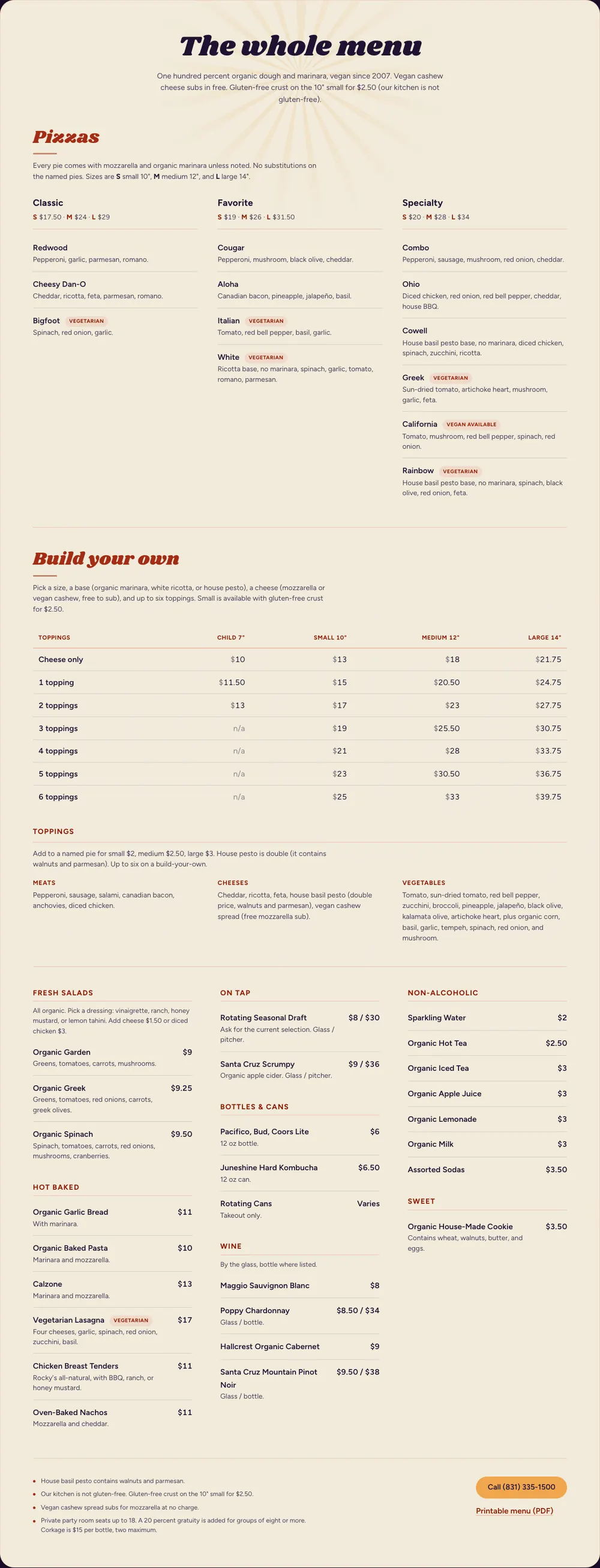
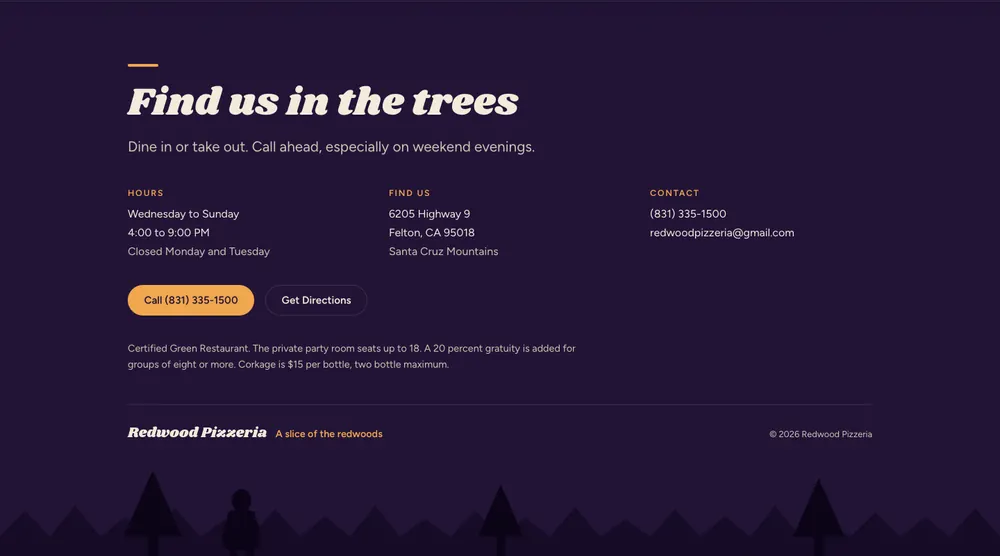
Now it becomes a real website. The agent wrote a skeleton shell, then built each section in hand-written HTML and CSS from the tokens and copy, dropping the illustrations in. Playwright checked every section at three screen widths before moving on. Story, Menu, and Visit are Lane 0, built straight from tokens and copy; the footer's Bigfoot and treeline are inline SVG (Lane 3).
Inputs
- DESIGN.md tokens
- COPY-BRIEF.md copy
- the measured probe + illustrations
Process
- AutoBuilt a skeleton-first shell, then one section at a time
- AutoMatched the hero against the ruler overlay
- AutoPlaywright: rendered at 1440 / 820 / 390, checked overflow, sampled contrast, watched the console
- YouApproved each section before the next
Outputs
- index.html + styles.css
- four verified sections
Phase 5 · Review
impeccable critique + polishScore it, then sharpen it
The critique sub-command runs two independent reviews, a design-director assessment and an automated pattern scan, then scores the page. We chose the scope, polish made the fixes, and a re-score confirmed the lift.
Inputs
- the assembled page
- the design references
Process
- AutoRan two independent assessments: a design review (Nielsen heuristics) and a deterministic pattern detector
- AutoSynthesized them into a score of 32/40 with priority issues
- YouChose the scope: fix everything
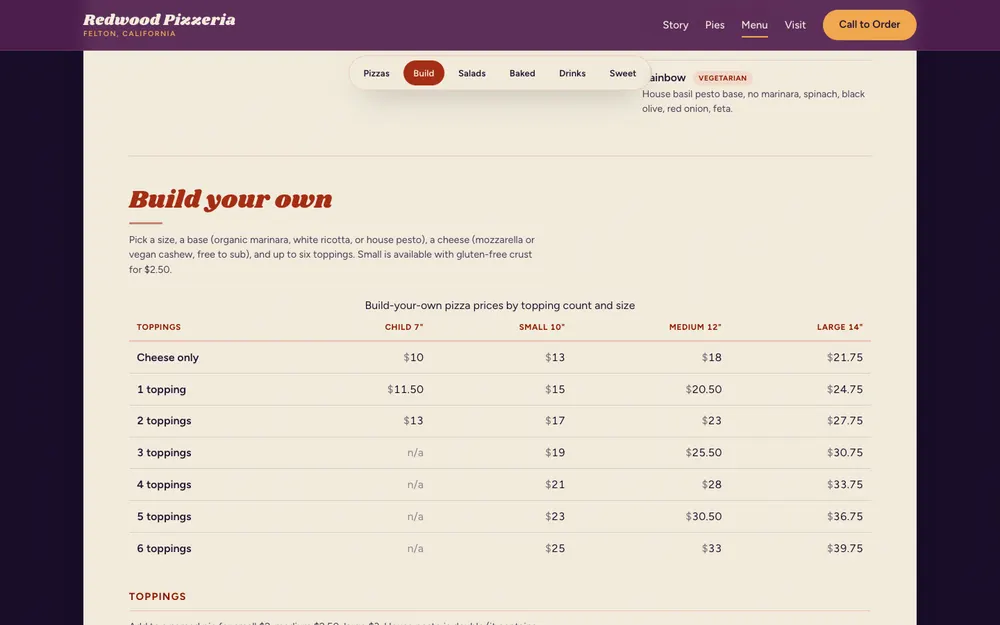
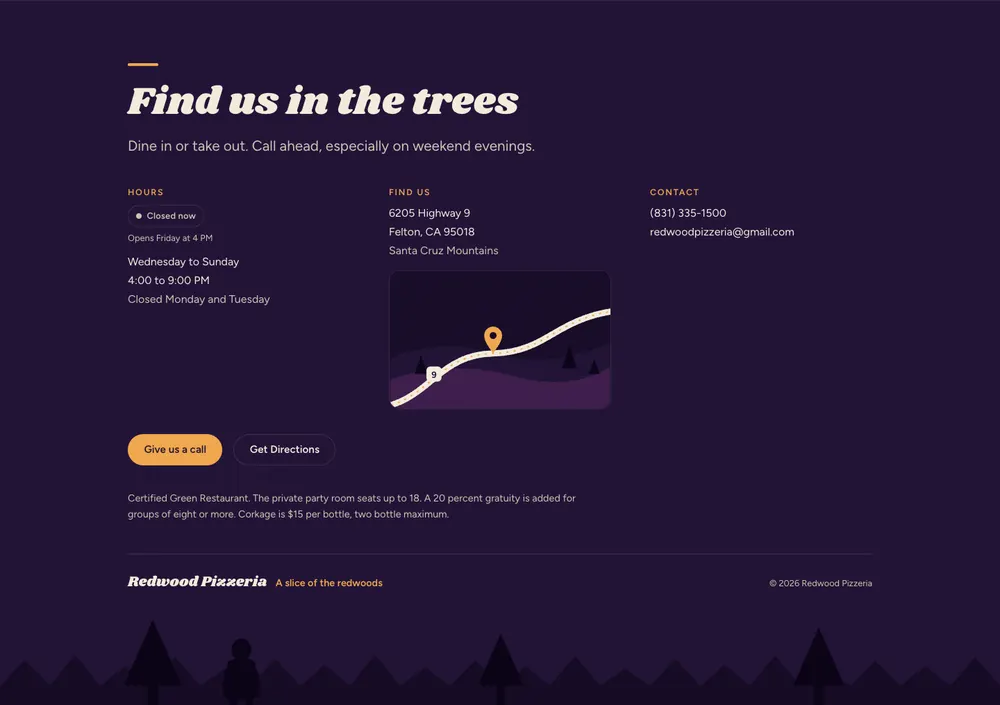
- AutoPolished: focus ring, menu wayfinding, location map, Open-now badge, varied CTAs
- AutoRe-scored: 36/40
Outputs
- critique-2026-05-29.md
- the polished site
- Global keyboard focus ring (accessibility)
- Sticky in-menu category strip with scroll tracking
- Hand-drawn "on Highway 9" location cue
- Live Open now / Closed badge from the real hours
critique-2026-05-29.md the full design review
Loading the file…
Phase 5 · Ship
nginx + Caddy + rsyncPublish to the server
Finally it went live behind HTTPS on a small VPS. The agent followed the server's own conventions, claimed a free port, wrote the configs, and reloaded the proxy gracefully. You made the one real decision here: the URL.
Inputs
- the built site files
- the server's conventions + inventory
Process
- AutoRead the server conventions; claimed a free port and recorded it first
- YouChose the URL: a gallery subdomain over an apex path
- AutoStarted the container, added the proxy block, validated, reloaded
- AutoVerified live: all routes 200, valid certificate, clean console
Outputs
- a live HTTPS site
- a reusable gallery host